Scheduled Reports
Instead of opening a report manually every time, you can schedule any of the system's reports to be sent automatically as an Excel attachment by email, on a recurring basis.
Go to Advanced Operations → Scheduled Reports → Create.
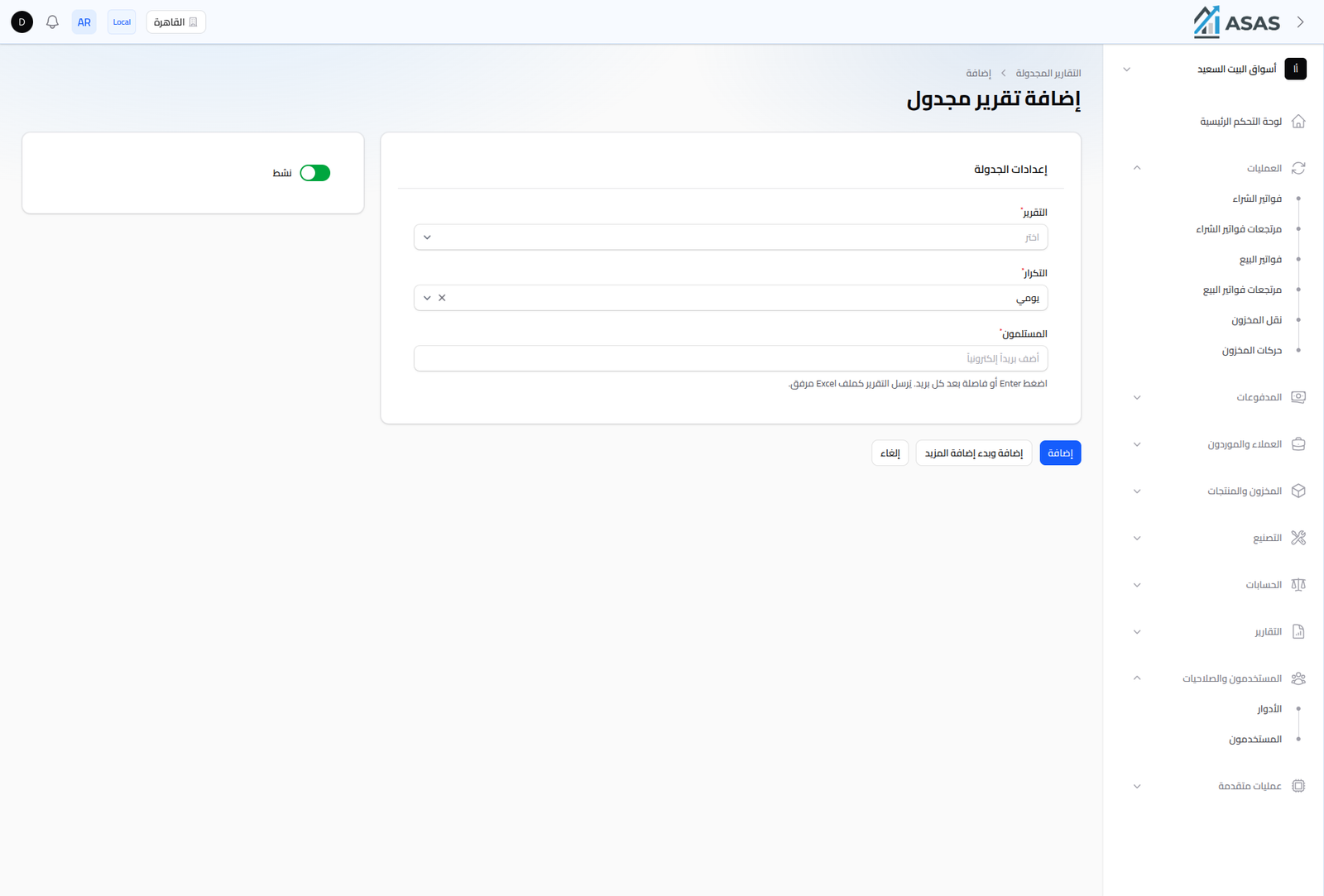
- Active: turning this off pauses sending without deleting the schedule.
- Report: any report in the system, from any section (Customer, Supplier, Purchase, Sales, Product, Profit, Treasury & Accounting reports — see Sales Reports and the rest of the Reports section in the sidebar).
- Frequency: Daily, Weekly, or Monthly.
- Recipients: add one or more email addresses (press Enter or comma after each one).
When the schedule is due, the report is automatically emailed as an Excel attachment to every listed recipient.
Notes
- You can create more than one schedule for the same report with different recipients or frequency.
- Disabling a schedule is better than deleting it if you plan to re-enable it later with the same settings.