Cash In/Out at the POS
Record a cash movement in or out of the till directly, without leaving the POS for the payments screen in the admin panel — useful for collecting a payment from a customer or paying a small expense during the workday.
Receive (Collect)
Click the Receive button (green, top-left of the screen):
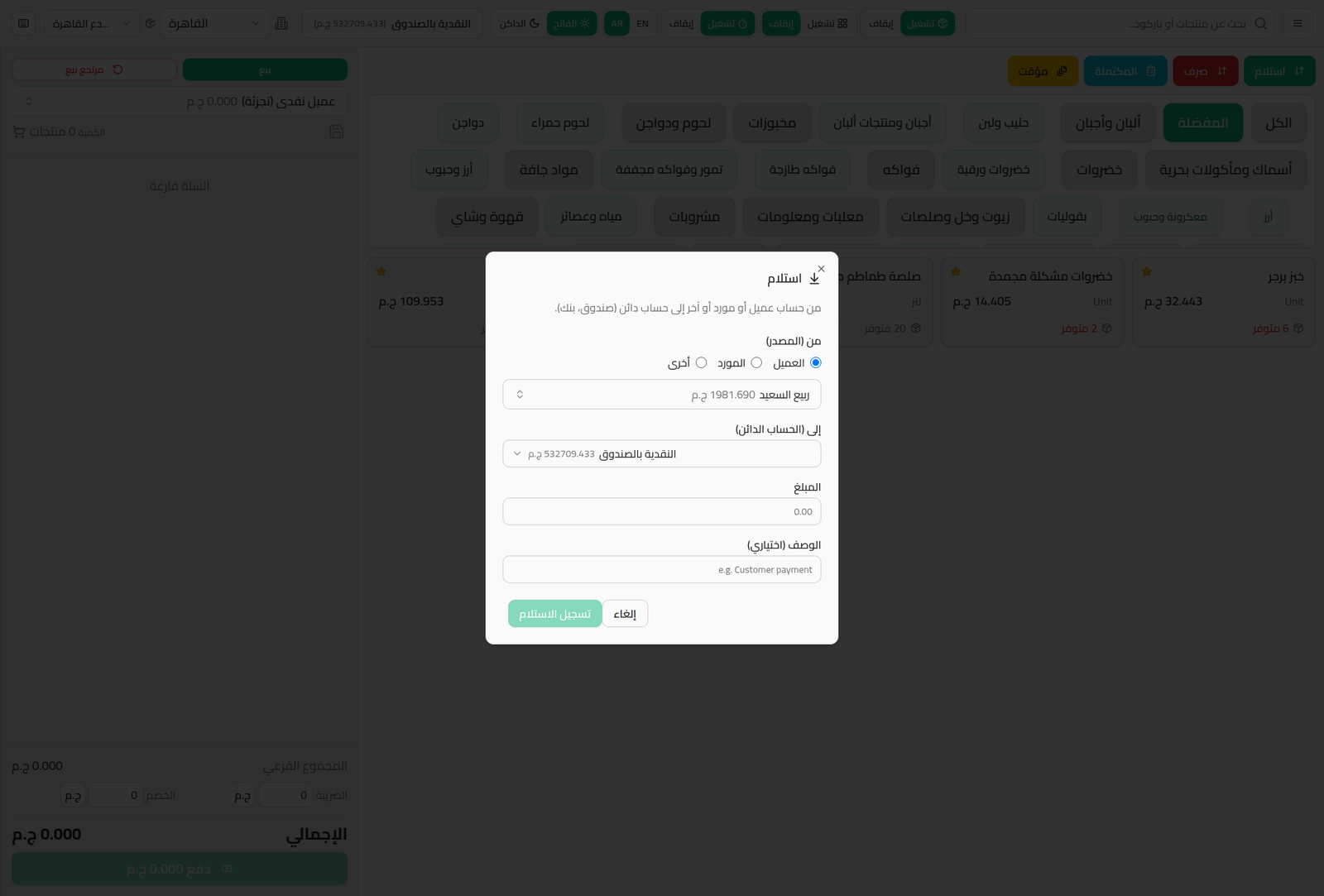
- From (Source): Customer, Supplier, or Other.
- Pick the specific person/account based on the source.
- To (Credit Account): the treasury account receiving the money (the branch's cash drawer by default).
- Amount and Description (optional).
- Click Record Receipt.
Pay Out
Click the Pay Out button (red):
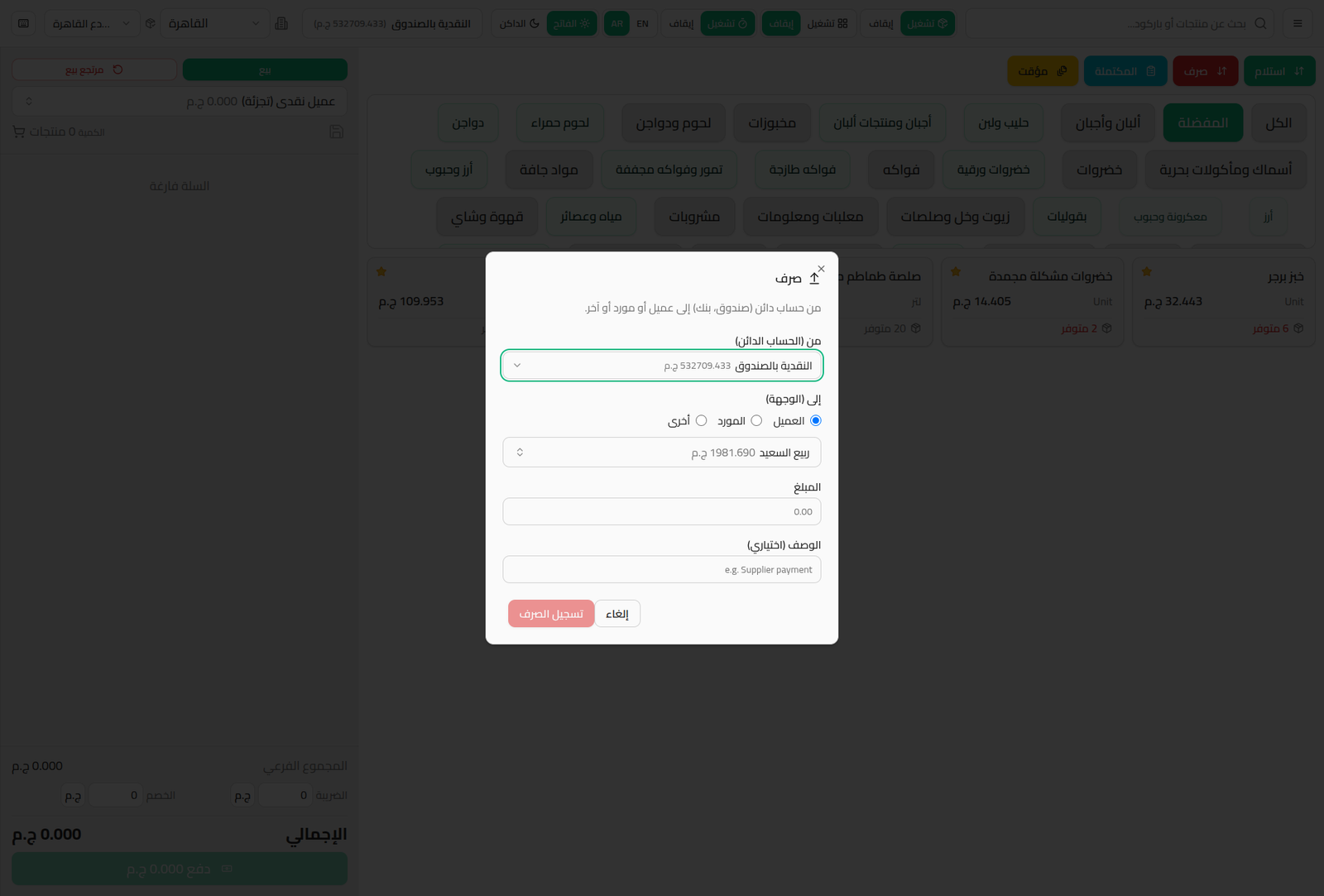
Same fields in reverse: From (Credit Account) is the cash drawer, and To (Destination) is a customer/supplier/other. Click Record Payment.
Notes
- These movements are recorded immediately in the treasury accounts, and reflect on customer/supplier balances if the destination is one of them (see Customer Payments and Supplier Payments).
- Useful for a quick cash settlement during the day without waiting for shift close-out or going back to the admin panel screens.