Stock Movements Ledger
A read-only ledger showing every in/out movement that affected any product's balance in any warehouse — an automatic trail from other operations (invoices, transfers, adjustments...), not a manual entry screen.
Go to Inventory & Products → Stock Movements.
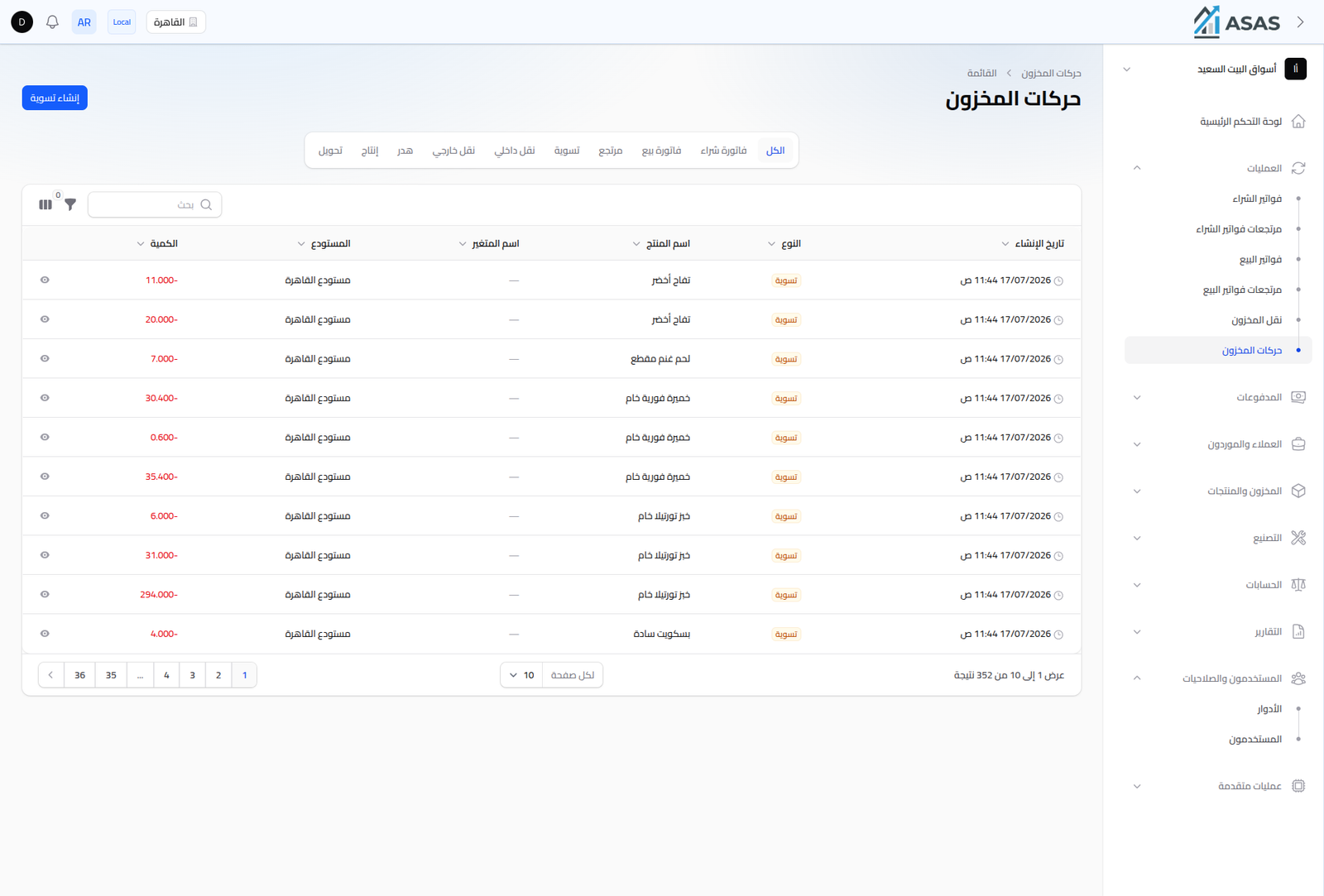
Tabs
Filter the ledger by movement type:
| Tab | Represents |
|---|---|
| All | every movement |
| Transfer | stock moved between two warehouses (Stock Transfers) |
| Production | deduction/addition from a production order (Production Orders) |
| Waste | quantities lost within a production order |
| Conversion Out / Conversion In | movement from conversion orders (Conversion Orders) |
| Adjustment | manual or bulk stock adjustment (Inventory Adjustments) |
| Return | sales or purchase returns |
| Sale Invoice / Purchase Invoice | the direct stock effect of sale and purchase invoices |
Columns
- Quantity: positive for incoming movements, negative (shown in red) for outgoing ones.
- Warehouse, Variant Name (if any), Product Name.
- Type: the movement type (as in the table above).
- Created At.
Notes
- This ledger isn't edited manually; every row traces back to another operation you can look up.
- Use it to pinpoint exactly why a product's balance changed, down to the individual movement.