Customer Balance Statement (Print)
A detailed statement showing every movement that affected a specific customer's balance — sale invoices, returns, and payment vouchers — with a running balance after each entry. It's reachable quickly via the "view statement" link next to any customer on the main dashboard or in customer reports.
Go to Reports → Customer Reports → Customer Account Statement:
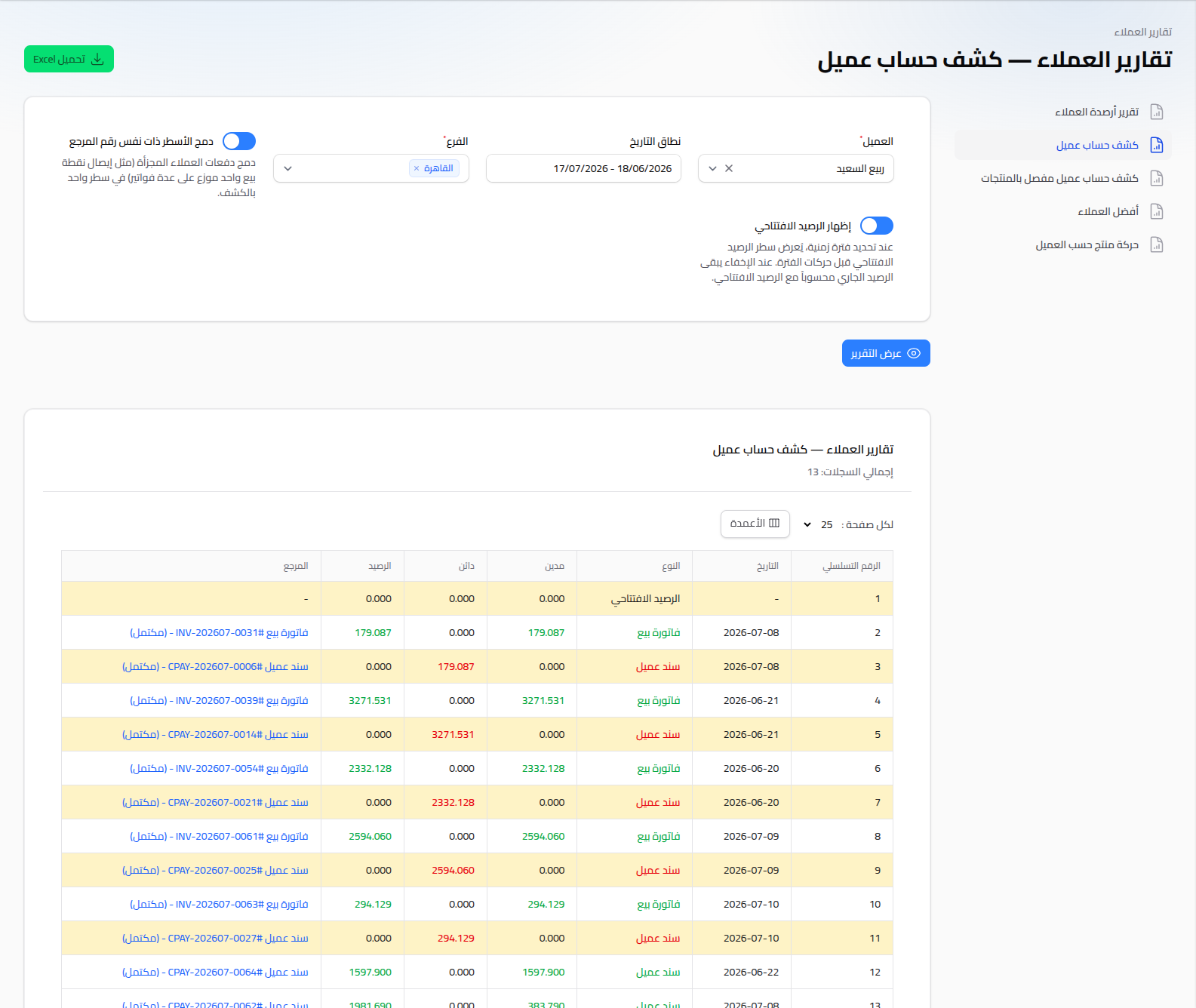
Fields
- Customer: (required).
- Date Range: sets the displayed period; comes with ready-made shortcuts (Today, Last 7 Days, Last 30 Days, This Month, ...) plus a custom range.
- Branch: filter by a specific branch (defaults to the current branch).
- Merge lines with the same reference number: merges a customer's split payments (e.g. one POS receipt spread across several invoices) into a single statement line.
- Show Opening Balance: shows a line with the accumulated balance before the selected period begins.
Click View Report to display the statement, and download it as an Excel file with the Download Excel button.
Reading the Statement
Each row represents one movement (a sale invoice, return, or customer payment), with Debit, Credit, and a running Balance column after that movement, plus a Reference link to jump straight to the source document.
Notes
- For a similar statement that also breaks down the products sold, see "Customer Detailed Account Statement (by Products)" in the same Customer Reports list.
- To see a balance summary across all customers at once, see Customer Reports.