Scale-Integrated Products
A central screen for managing PLU (Price Look-Up) numbers for every product with the "Scale-Barcode Product" option enabled (see Creating a Product), and for exporting a file that gets uploaded to the store's electronic scale so it recognizes these products and prints their weight barcode.
Go to Advanced Operations → Scale Products.
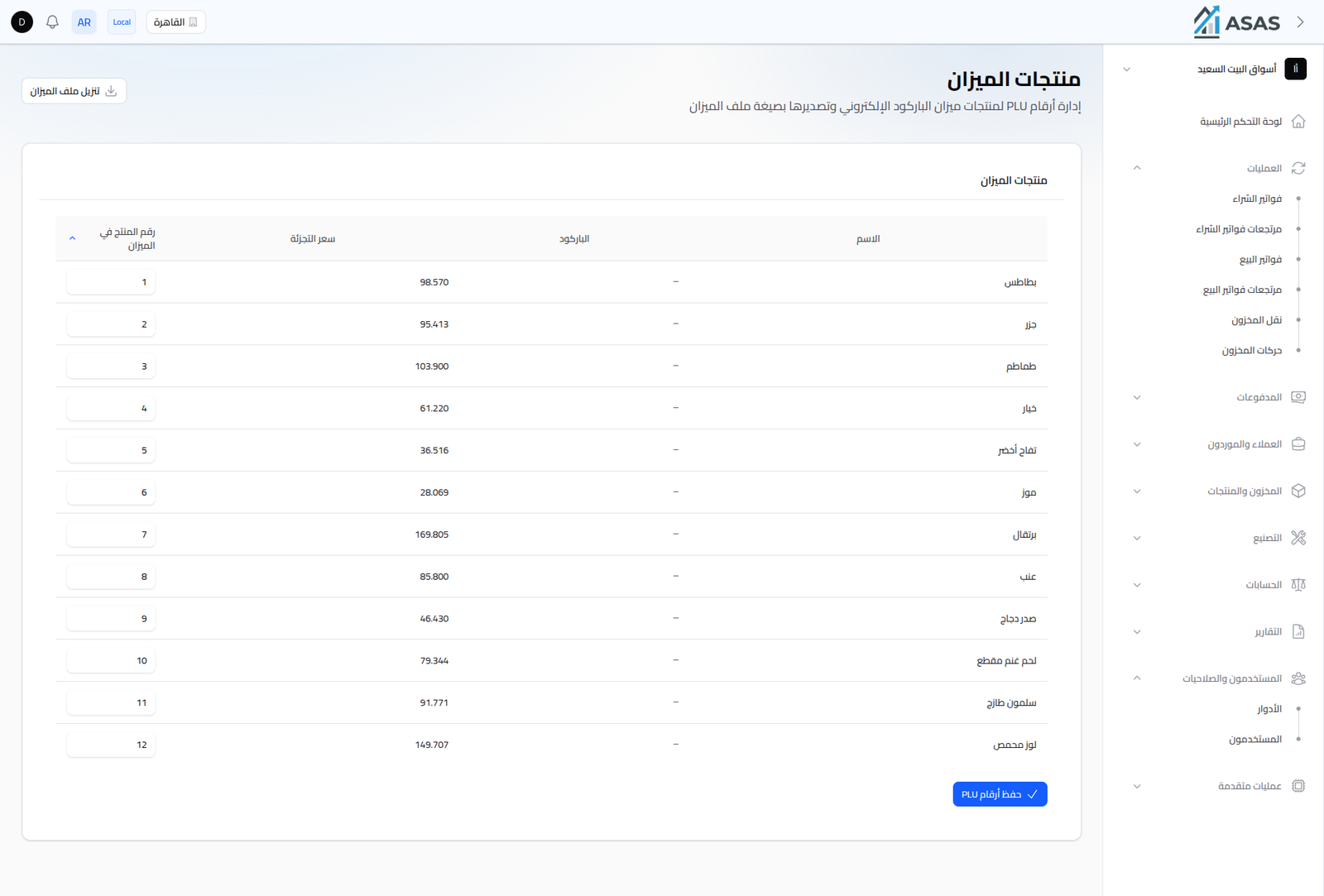
- The table: lists every scale product with its Name, internal Barcode, Retail Price, and Scale Product Number (PLU).
- Scale Product Number: a directly-editable numeric field per product — this is the number entered on the scale device itself to match it to the product.
- Save PLU Numbers button: saves all PLU number edits at once.
- Download Scale File button: exports a file in a format the electronic scale understands (containing every product, its PLU number, and its price) to upload directly to the scale device.
Notes
- This screen only manages products that had Scale-Barcode Product enabled when created.
- After uploading the file to the scale, it prints a barcode containing the PLU number and the actual weight, which the system reads automatically when scanned at the POS to calculate the price by weight.