Customer Reports
A set of reports dedicated to analyzing customers, their balances, and their sales. Go to Reports → Customer Reports to see the list:
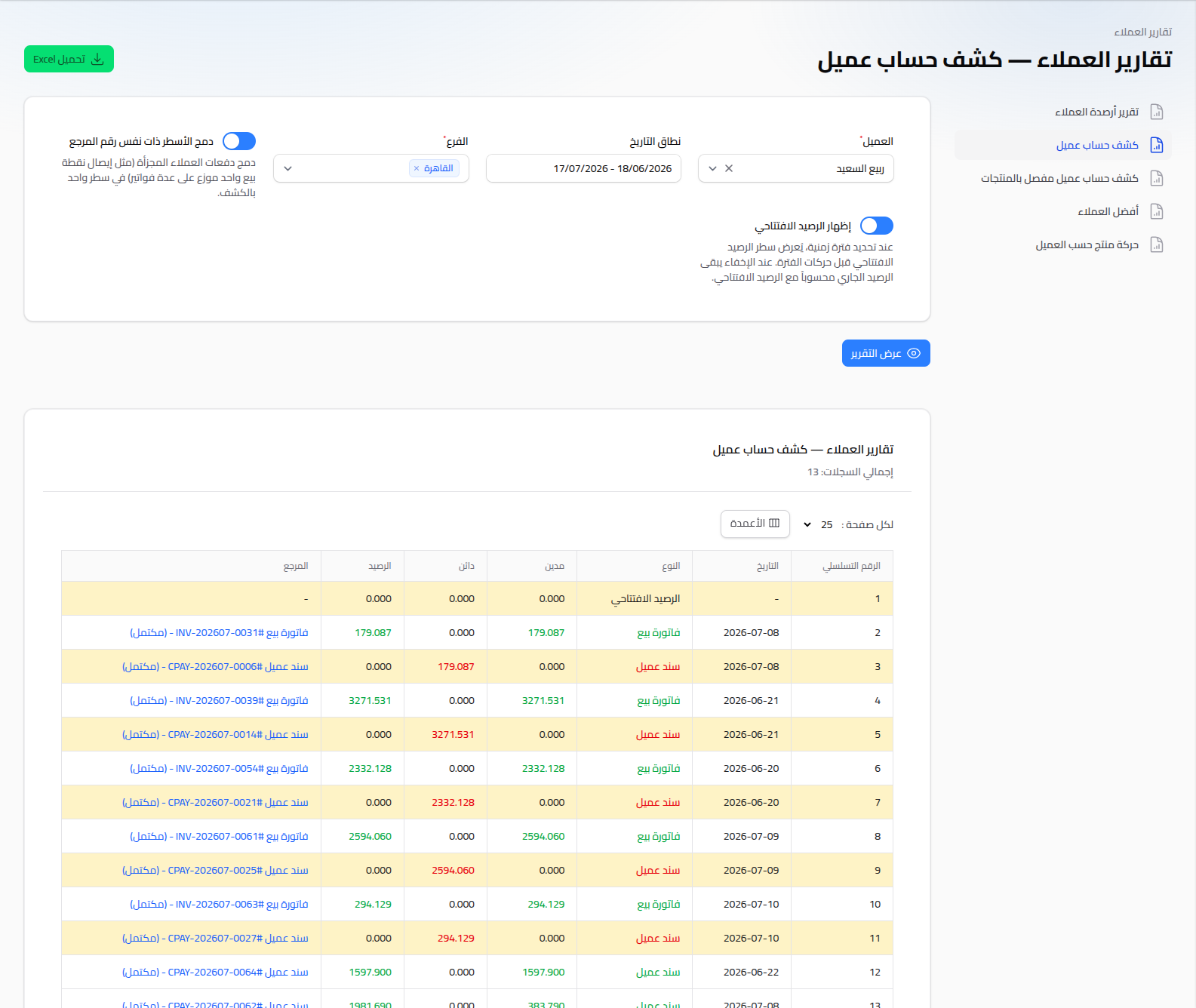
Available Reports
- Customer Balance Report: a list of every customer and their account balance, to see who owes outstanding credit.
- Customer Account Statement: a detailed movement statement for one customer (see Customer Balance Statement).
- Customer Detailed Account Statement (by Products): the same statement, but with each invoice's line items broken out.
- Top Customers: ranks customers by total sales or invoice count over a chosen period.
- Customer Product Movement: shows the quantity/value of a specific product sold to each customer.
- Customer Profit Report: the profit margin earned from each customer (see Profit Reports).
Shared Usage Pattern
Every customer report follows the same flow:
- Choose your filter criteria (customer, date range, branch, ...).
- Click View Report.
- Download the result as an Excel file with the Download Excel button if you need to share or archive it.
Notes
- A specific customer's statement can be reached directly from the "view statement" link on the main dashboard (in the top-customers-by-balance list) or from the Customer's own page.