Chart of Accounts
The chart of accounts is the tree structure of all the company's accounts (cash, banks, customers, suppliers, expenses, revenue, etc.), auto-created for every new company with a ready-made base (Cash Drawer, Bank Account, Vodafone Cash, Orange Cash, InstaPay, Tips Account, ...).
Go to Accounts → All Accounts to view the full tree:
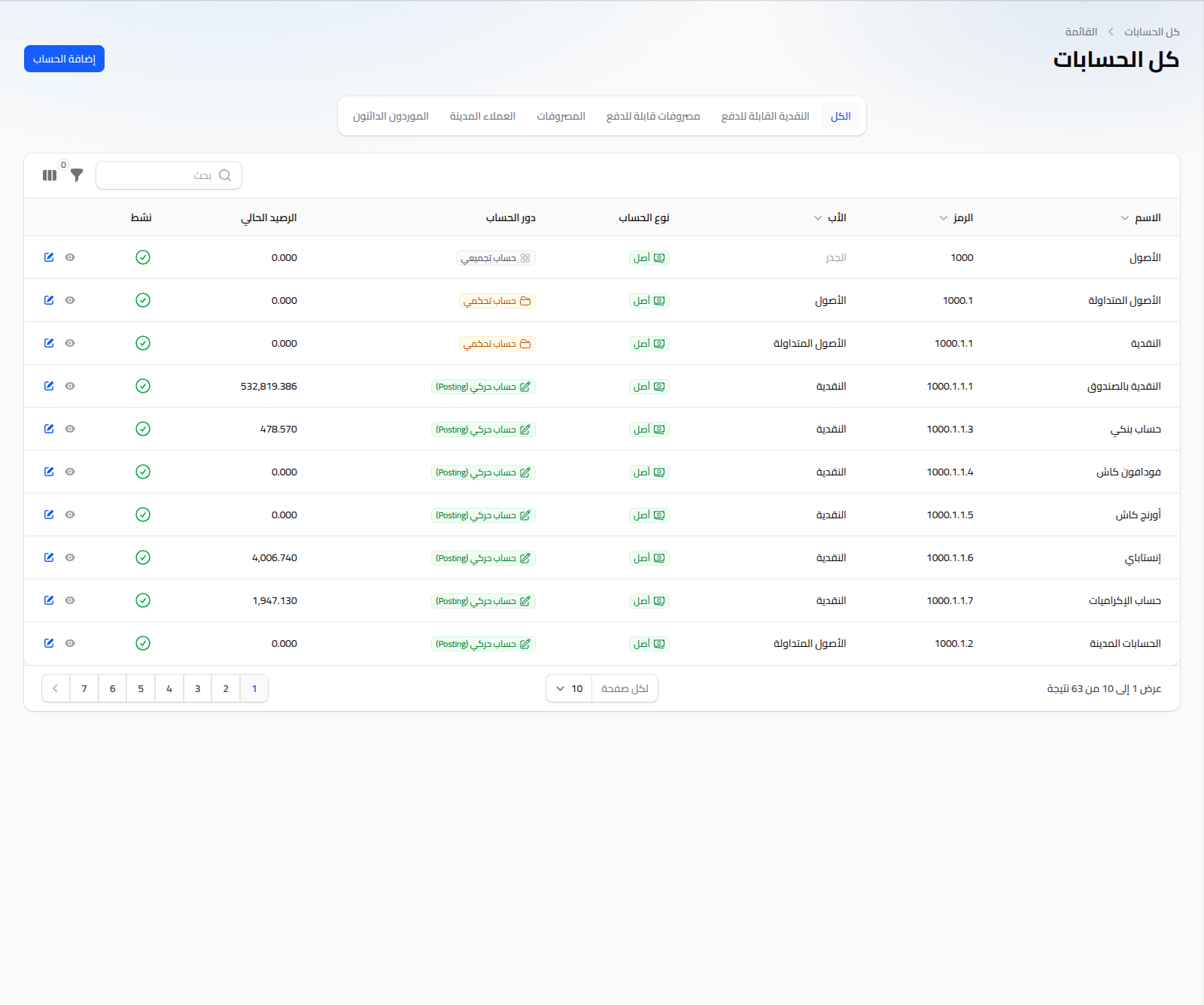
You can filter using the quick tabs (All, Payable Cash, Payable Expenses, Expenses, Accounts Receivable, Accounts Payable).
Account Types
Every account has a type (Asset, Liability, Equity, Revenue, Expense) and a role:
- Group account: a root node not used directly in journal entries (e.g. "Assets").
- Control account: an intermediate tree node, also not used directly in entries.
- Posting account: the actual account transactions and journal entries are recorded against. This is the only type selectable as an account on payments and invoices.
Adding a New Account
Click Add Account:
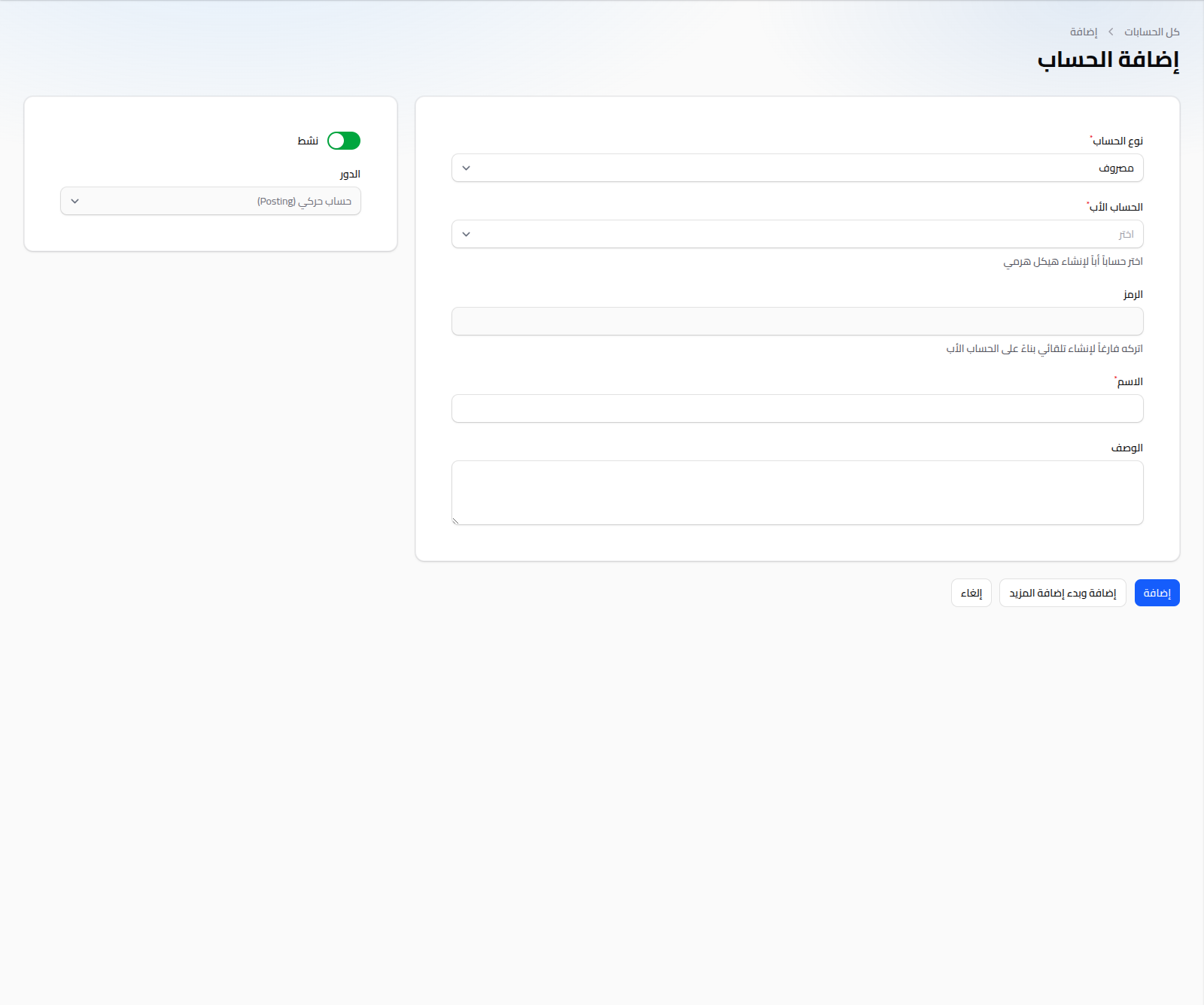
- Account Type: (required) Asset, Liability, Equity, Revenue, or Expense.
- Parent Account: (required) determines the account's position in the tree; only accounts of the same type with no recorded transactions are shown (to keep the structure sound).
- Code: auto-generated from the parent's code if left blank (e.g. a parent coded
1000.1.1→ a new child1000.1.1.8). - Name: (required).
- Description: optional free text.
- Active: (toggle).
- Role: determined by the account's tree position (group/control/posting) and set automatically — not editable on create.
Notes
- An account's parent can't be changed once it has recorded transactions or child accounts.
- Accounts usable on payments (cash, banks, e-wallets) are "posting" accounts of type Asset.
- To record a manual movement between two accounts, see Journal Entries or Account Transfers.